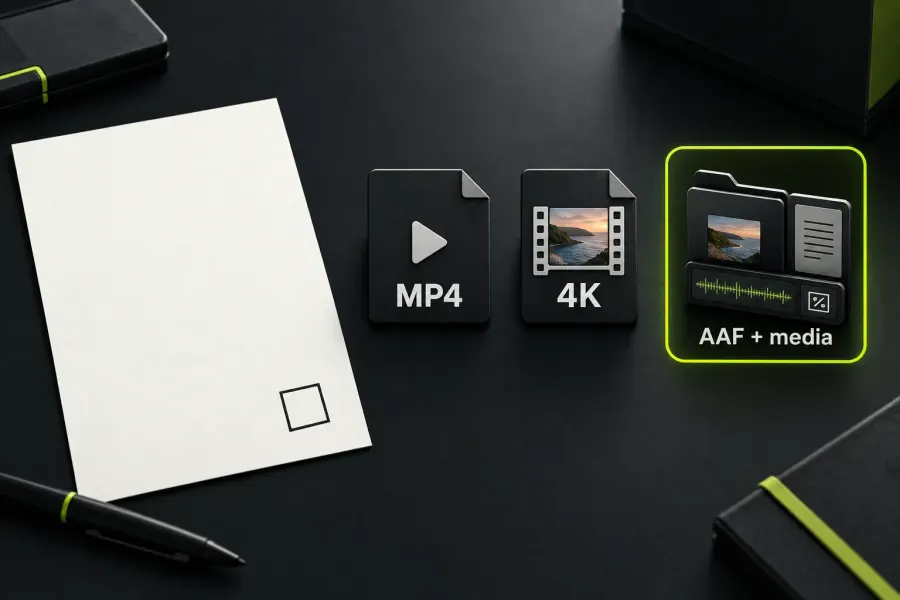
Choose the Lightworks edition from the file you must deliver, not from the word “Pro” on the box. Free is the sensible starting point for a basic MP4 job whose actual export panel accepts the required size. Create is the middle choice for a paid 4K MP4 workflow, advanced titles or native audio effects. Pro becomes justified when the delivery needs MOV, MXF, WAV, image sequences, interchange, manual H.264 bitrate control, third-party plugins, subtitles or advanced 10-bit export.
The current Lightworks pricing table lists Free export up to 1080p, matching the vendor’s web/social guide. The older FAQ export answer still says YouTube/Vimeo 720p. That remaining mismatch matters for an older installation: check the installed build, active licence and chosen target before buying around a limit that may not apply to your setup.
Start with the file you must deliver
Write down four requirements before comparing plans: final container, frame dimensions, audio or title features, and any handoff to another application. Then use the narrowest match below.
| What the project needs | First plan to check | Why |
|---|---|---|
| Basic MP4, no Pro-only handoff, and an output size confirmed in the active Free panel | Free | The core timeline, native effects, titles, transitions, background processing and basic leveling/EQ are listed across the tiers. |
| 4K MP4, advanced titles or paid native audio effects, without Pro-only interchange or plugins | Create | Create raises the listed MP4 ceiling and adds the title/audio rows that often matter in a paid web delivery. |
| MOV, MXF, WAV, image sequences, subtitles, advanced 10-bit export, manual H.264 bitrate, interchange or external plugins | Pro | These are the rows that change the handoff or the output controls, rather than simply adding a larger number. |
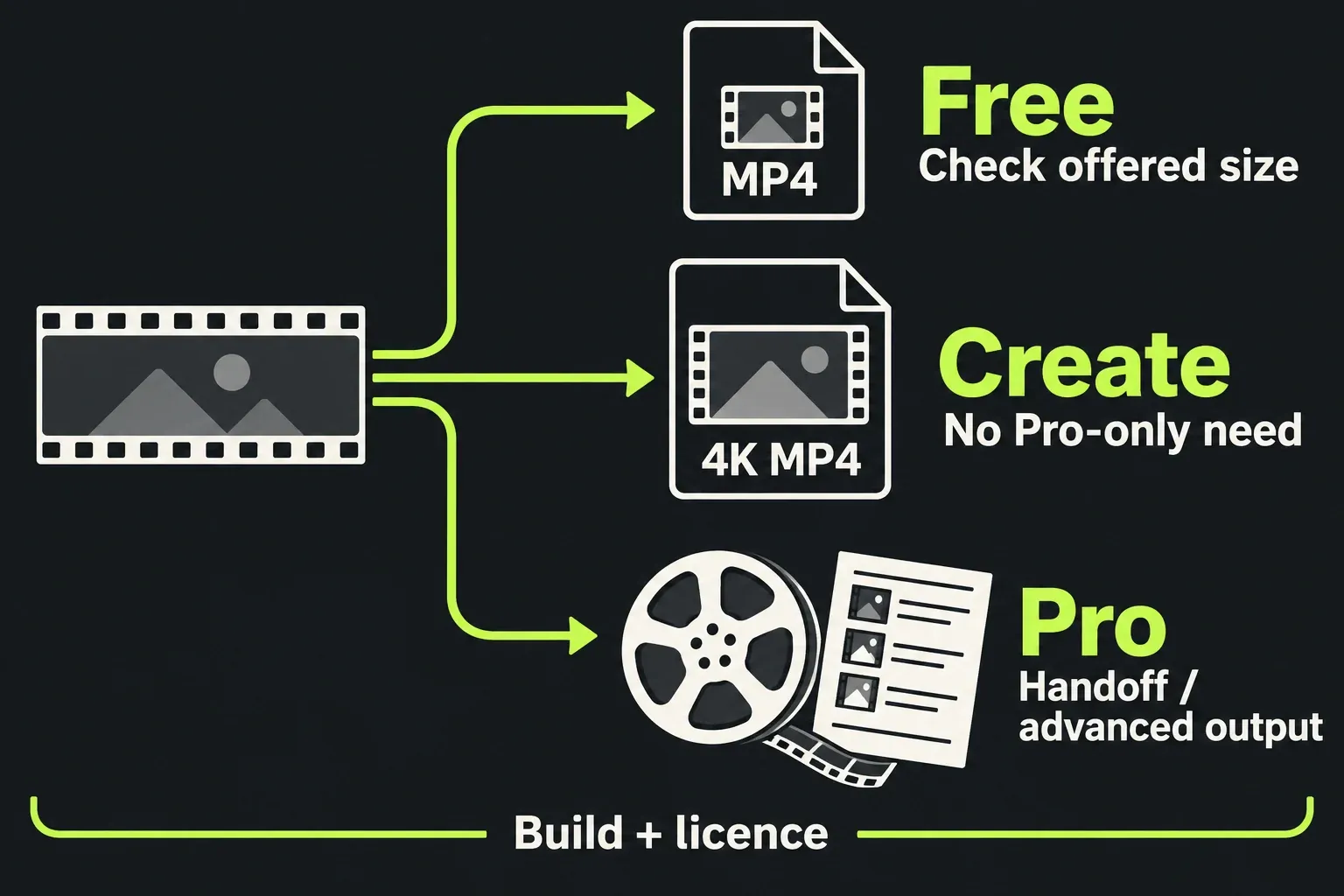
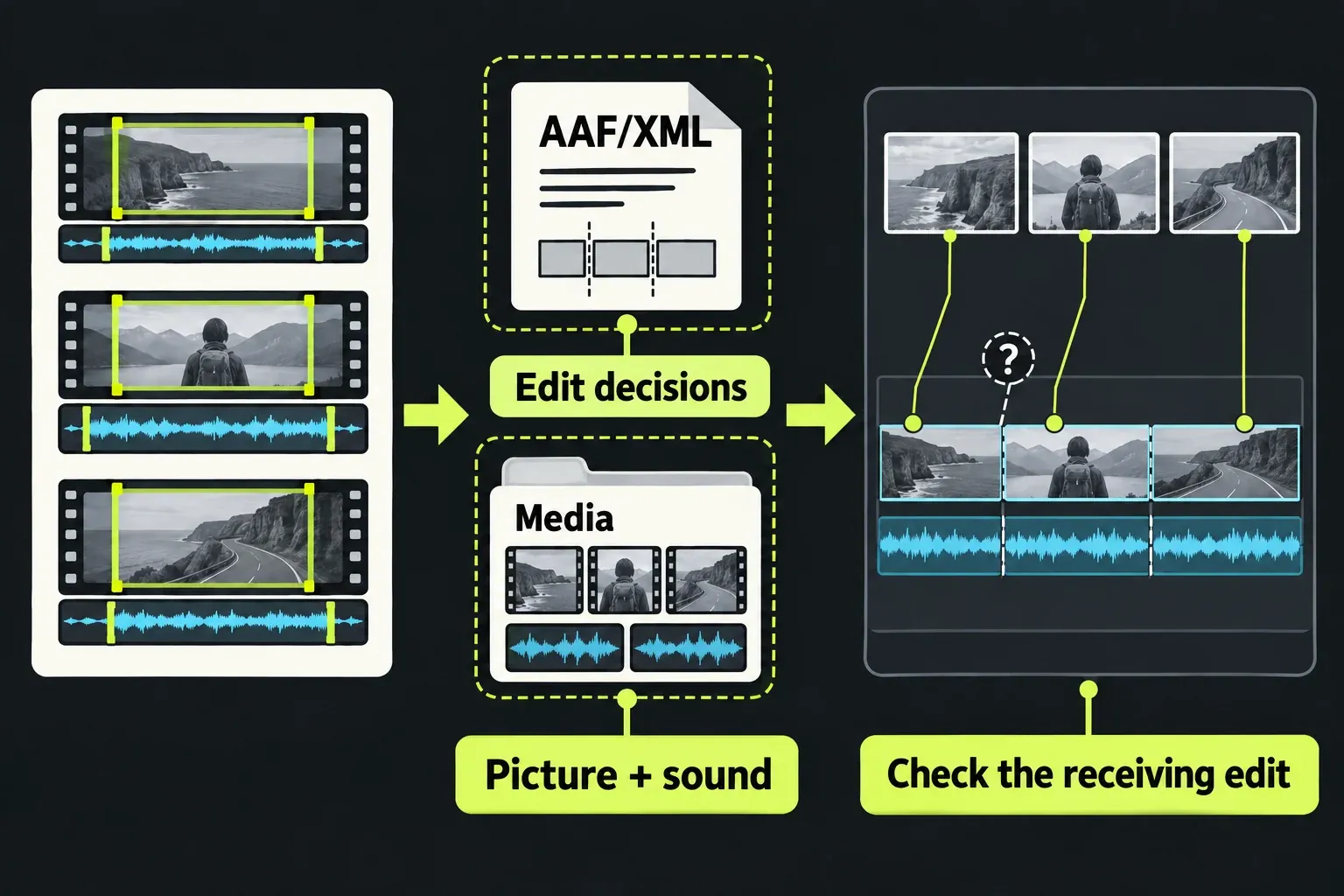
“Check” matters here. A plan row describes an entitlement, while the export options still depend on the build, platform, codec and licence attached to the project. If the deliverable is for a client, a broadcaster or another editor, treat the receiving application as part of the requirement.
The rows that change the choice
The pricing comparison is more useful when each row is read as a separate decision. The table below condenses the distinctions that can force an upgrade.
| Capability | Free | Create | Pro |
|---|---|---|---|
| Export maximum shown in pricing | Up to 1080p* | Up to 4K | Up to 8K |
| Media-file export row | MP4 | MP4 | MP4, MOV, AVI, MXF, WAV and image sequences |
| Advanced titles | Not listed | Listed | Listed |
| Quick Audio FX / Audio FX | Not listed | Listed | Listed, with named processor choices in the Pro row |
| OpenFX and third-party audio plugins | Not listed | Not listed | Listed; compatibility still depends on plugin, platform and version |
| Interchange export, subtitles and advanced 10-bit export | Not listed | Not listed | Listed |
| Proxy choices | H.264, Low, up to 720p | H.264, Low/Medium/High, up to 1080p | Broader codecs, up to Very High, up to 4K |
*The current pricing table says 1080p. Older FAQ and export-KB wording still says 720p; check the actual build and export target as explained below.
Do not turn the Media Files row into an import rule. The supported-formats reference lists common MP4, MOV, MXF and AVI containers for import, but a container can hold different codecs. Import compatibility and export targets are different checks.
The pricing table lists ProRes decode for Free/Create and decode plus encode for Pro, alongside manual variable or constant H.264 bitrate controls on Pro. Its proxy row includes ProRes, DNxHR, AVC-Intra, Cineform and H.264; DNxHD carries an additional codec-purchase condition. A listed 8K option still depends on a supported codec, platform and active licence.
Free 1080p and older 720p guidance
The pricing comparison checked on 19 October 2026 now lists Free up to 1080p, Create up to 4K and Pro up to 8K. The web/social delivery and installation guides also describe Free portrait and 1080p export. The undated FAQ’s export answer and the older 2022.3 export guide still state 720p. Those older pages do not identify a build or rollout condition that resolves the difference; use the current plan table for the advertised offer and the active Export panel for the setup you actually have.
- Open the export panel in the build you will use and record the target dimensions and available preset.
- In the Project Browser, click the avatar at the top right to see the account and licence type. Use Activate licenses there to manage the licence if necessary, then confirm that the target belongs to the expected edition.
- If a 1080p or portrait job is essential and the panel conflicts with the current guide, ask LWKS for a plan/build confirmation before taking a paid plan as the workaround.
This check matters most for a social deliverable, because a proxy’s 1080p setting does not show that the final Free export will be 1080p. Proxy media is an editing aid; its size does not set the delivery ceiling.
Free, Create or Pro in real projects
Free: learning and confirmed basic delivery
Free is a good fit when the project ends as an MP4, the active export panel confirms the required size, and the edit can use the native title and basic audio rows. It also avoids paying for handoff formats that will never be opened by another application. The FAQ says a Free licence can be renewed by signing in after a 90-day period; treat that as licence renewal language, not as proof that Free is a short trial.
Create: paid MP4 work without a Pro handoff
Choose Create when 4K MP4 is the requirement, or when advanced titles and native audio effects matter, but the final file remains in the MP4 path. Create is not simply “Pro with less resolution”: it sits between the tiers on advanced titles, audio FX and proxy choices, while Pro-only interchange, plugin and advanced 10-bit rows remain the boundary.
Pro: handoff and output control
Pro earns its place when another application needs AAF, XML, OMF, EDL, Film Cutting Lists or Reaper interchange; when a delivery specification needs MOV, MXF, WAV or an image sequence; or when manual bitrate, subtitles, advanced 10-bit export or external plugins are part of the brief. Interchange carries a warning of its own: LWKS notes that effects and transitions rarely translate perfectly, so the receiving side still needs a media and result check.
What the current payment models mean
The anonymous pricing view checked on 19 October 2026 displayed Free as £0 and paid plans in EUR. Switching its Monthly, Yearly and Once controls showed these amounts before applicable sales taxes:
| Billing choice | Create | Pro | What it means |
|---|---|---|---|
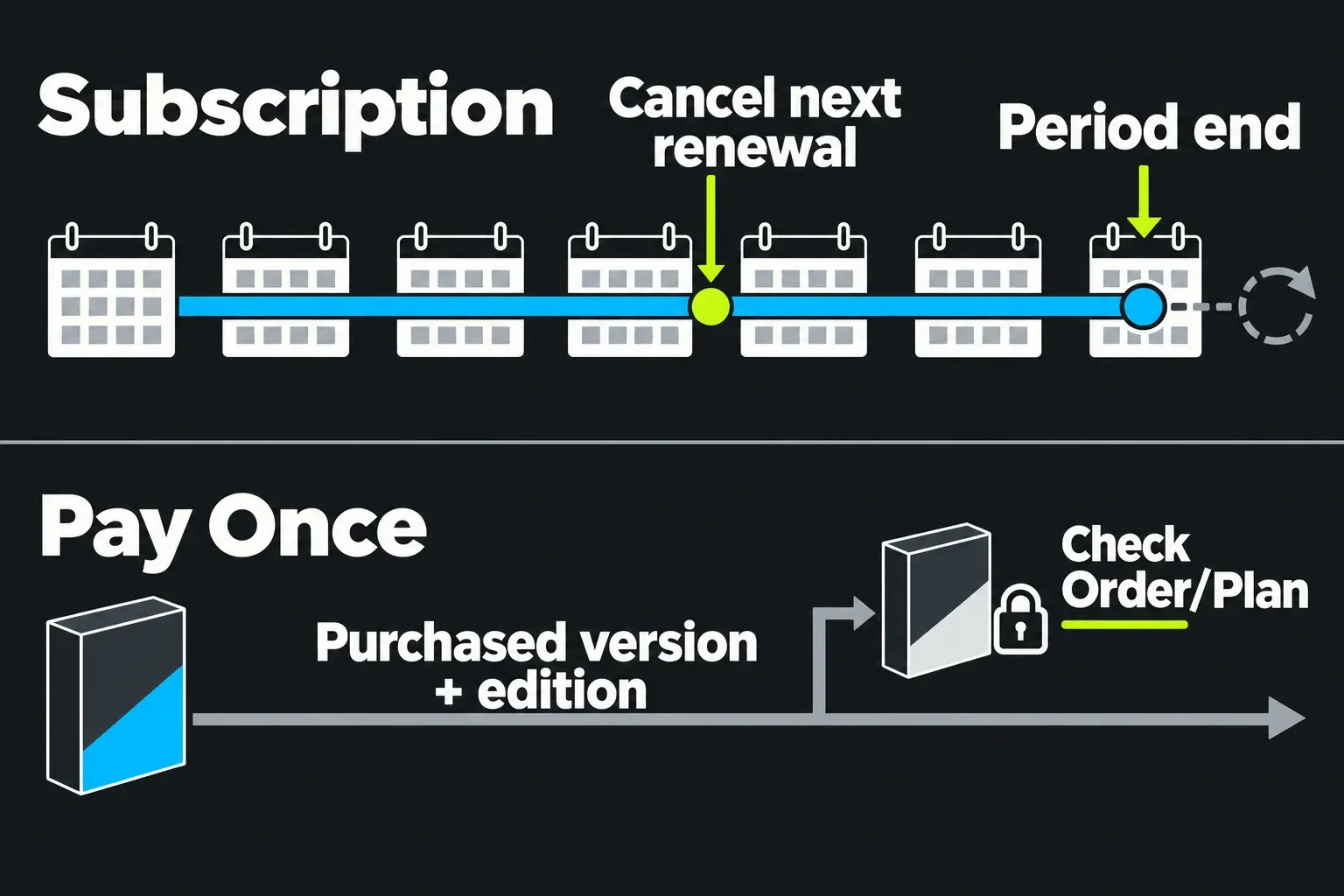
| Pay Monthly | €18.00 | €32.00 | Subscription period; the terms say it auto-renews unless cancelled before renewal. |
| Pay Yearly | €145.00 | €250.00 | Annual subscription period; keep the renewal date with the project records. |
| Pay Once | €215.00 | €440.00 | Perpetual purchase option shown in the anonymous EUR view, subject to the Order and version terms. |
This is a dated EUR observation, not a US or USD quote. The visit was anonymous, no country or account was selected, and the displayed prices excluded applicable sales taxes. The checkout total can therefore differ by location and tax status, so use the current pricing page to see the offer attached to your account.
For a subscription, the terms say cancellation stops the next renewal and access normally continues through the paid period. A perpetual licence means ongoing use of the purchased version and edition under the Order and EULA; it does not promise every future major version, support period or online feature. The EULA leaves major-upgrade entitlement to the current Order or Plan, so do not buy “once” on the assumption of lifetime upgrades.
Commercial use and activation conditions
The pricing table marks all three tiers as having no automatic export watermark. That is separate from the official FAQ’s Free commercial-use answer, which says commercial videos can be used with a Lightworks logo at the end and asks for a Lightworks link in the public description. The FAQ is not the same document as the April 2026 EULA, so for a rights-sensitive client job the current Order and a written vendor confirmation should control the decision.
The EULA defaults to one active device or instance unless the Order or Plan authorises more. The FAQ describes a complimentary second activation for Create/Pro Yearly or Perpetual purchases in a second-system or replacement context; that description does not cover monthly plans or simultaneous multi-user seats. NewBlue TotalFX likewise needs an active Pro licence and is listed as support or an upgrade path, not as an unconditional full bundle. The homepage limits its NewBlue-supplied titles and transitions to Windows and macOS; check any separate plugin’s platform and licence before buying.
A short buying check before you pay
- Write the exact final container, dimensions, frame rate and audio requirement.
- Separate an import question from an export question; a MOV that imports is not automatically a MOV export entitlement.
- Check whether the project needs advanced titles, native audio FX, external plugins, subtitles, 10-bit output or interchange.
- Confirm the current Free 1080p offer in the active build and target if older 720p guidance affects your setup; do not infer final output from a proxy setting.
- Record the displayed currency, billing period, tax wording and renewal date.
- For a perpetual offer, record the purchased version and the Order’s major-upgrade language.
- Ask the receiving editor or facility which interchange and media formats it will accept, then plan a result check after handoff.
Frequently asked questions
Do I need Pro for 4K?
No. The pricing table lists Create up to 4K and Pro up to 8K. Pro is needed when another row—format, bitrate, plugin, interchange, subtitle or advanced 10-bit output—blocks delivery.
Does Free add a watermark?
The tier table lists no automatic watermark. If the video is commercial, read the FAQ condition about the end logo and public-description link; “no watermark” is not the same as “no attribution condition.”
Can I upgrade a Free project later?
The FAQ says projects made in the Free version are compatible with Create or Pro. Keep a backup and confirm the target build, because compatibility across a tier upgrade is a different claim from compatibility with every older or newer build.
Is Pay Once a lifetime-upgrade plan?
No. It is a perpetual licence for the purchased version and edition under its Order. Major-version upgrades are governed by the terms attached to that purchase.
Next step
Once the edition is clear, use the Lightworks export-settings guide to choose the source, range and preset, then verify the resulting file against the delivery brief.